My Products
Shows all available products in your Product Hub instance. You can create, select, edit and release products.
Create a Release
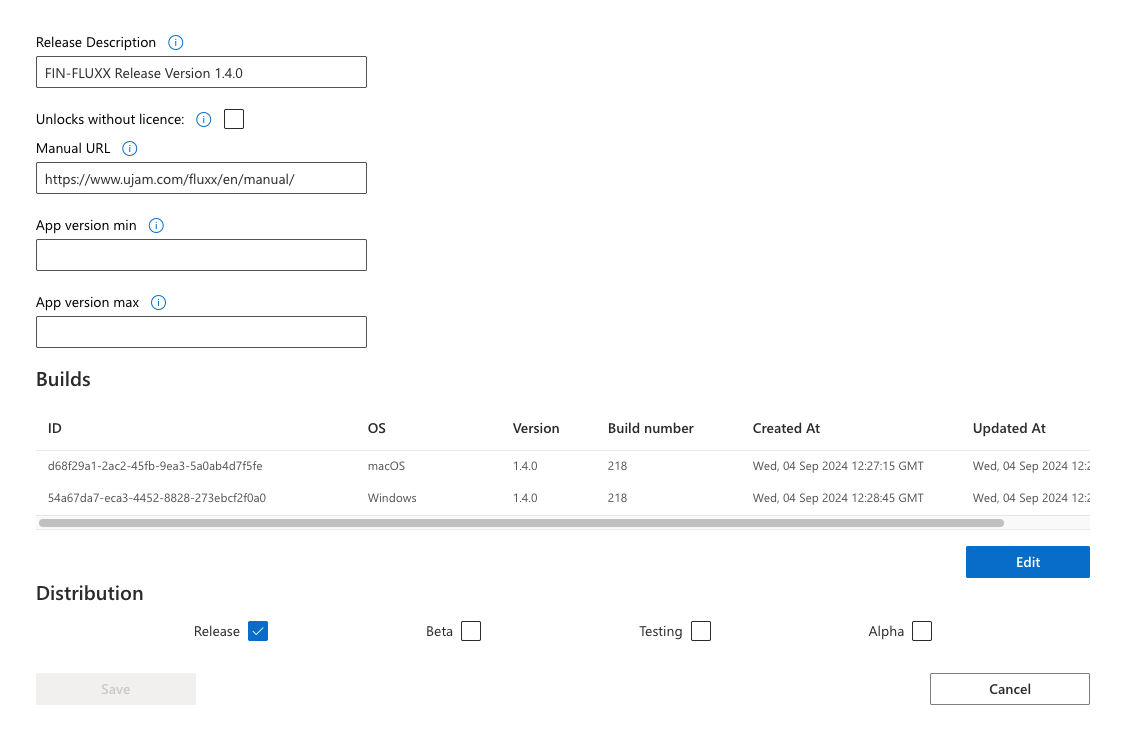
Section titled “Create a Release”Creating a release is required if you want to distribute your products using the downloader that Gorilla Compiler can produce for you or if the product is delivered through the UJAM app.
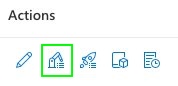
- Click the product builds icon.
- Select “macOS” and “Windows” (or “Any” for frame titles), then “Create Release.”
- Add a meaningful “Release Description.”, like e.g “Initial Release”, “Hotfix March 2026”. We recommend choosing a description that in 3 years time still clearly reflects the purpose of this release.
- Set the manual’s URL for your product.
- Optionally, define the App min/max version. This setting is only for the UJAM app.
Releasing
Section titled “Releasing”Find a quick start guide to releasing a product here:
Create a new Product
Section titled “Create a new Product”- Goto My Products and click on the New Product button on the top right.
- Fill at least the mandatory fields (marked by a red *) and click save.
If you are not sure what fields to fill, just click on the question mark icon which explains for what this field is used for. Starting from “Tagline” all properties are for the UJAM app only.
Edit Product
Section titled “Edit Product”- Goto My Products and look for the product you want to edit.
- Once you found the product click on the edit button and do your adjustments.
Product Licenses
Section titled “Product Licenses” Here you find all user assigned licenses to a specific product. Also you can deactivate, download, transfer and edit licenses.
How this workes is described here: User Licenses
Here you find all user assigned licenses to a specific product. Also you can deactivate, download, transfer and edit licenses.
How this workes is described here: User Licenses
Product Trials
Section titled “Product Trials”Here you find all running trials licenses to a specific product. How this workes is described here: User Trials